

阿里云创建个人容器镜像仓库
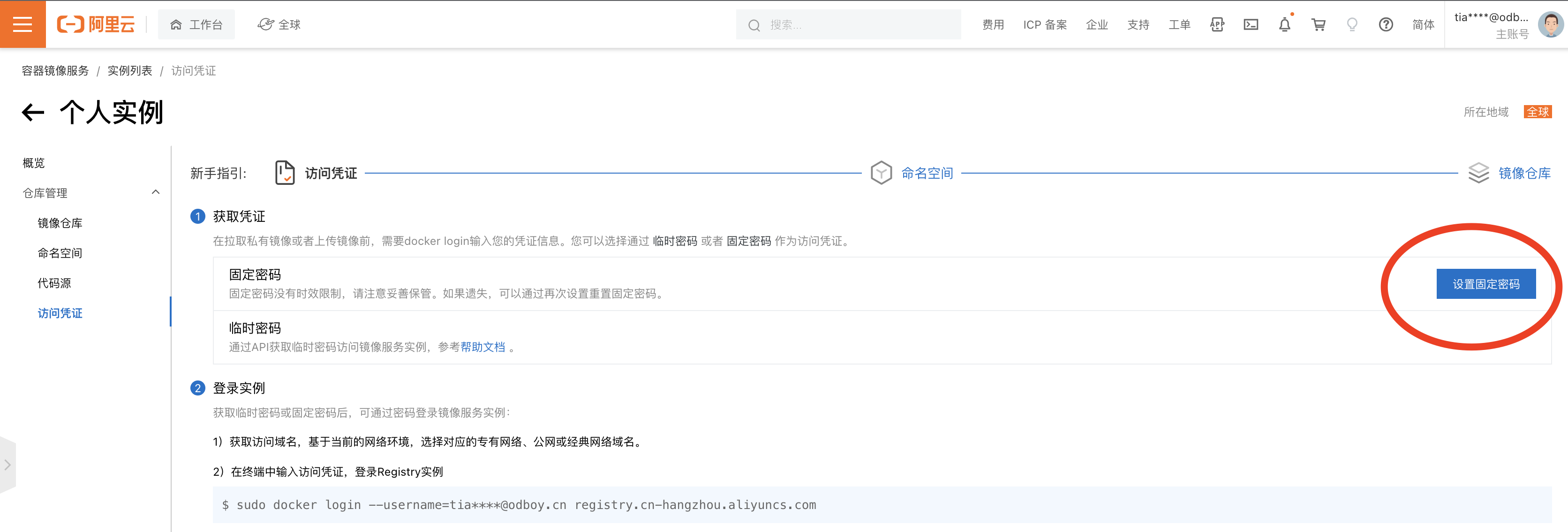
容器镜像服务:https://cr.console.aliyun.com/cn-hangzhou/instance/credentials
配置固定密码
密码生成器地址
text
# 注:既然可以用32位密码,那咱就直接拉满

https://suijimimashengcheng.bmcx.com/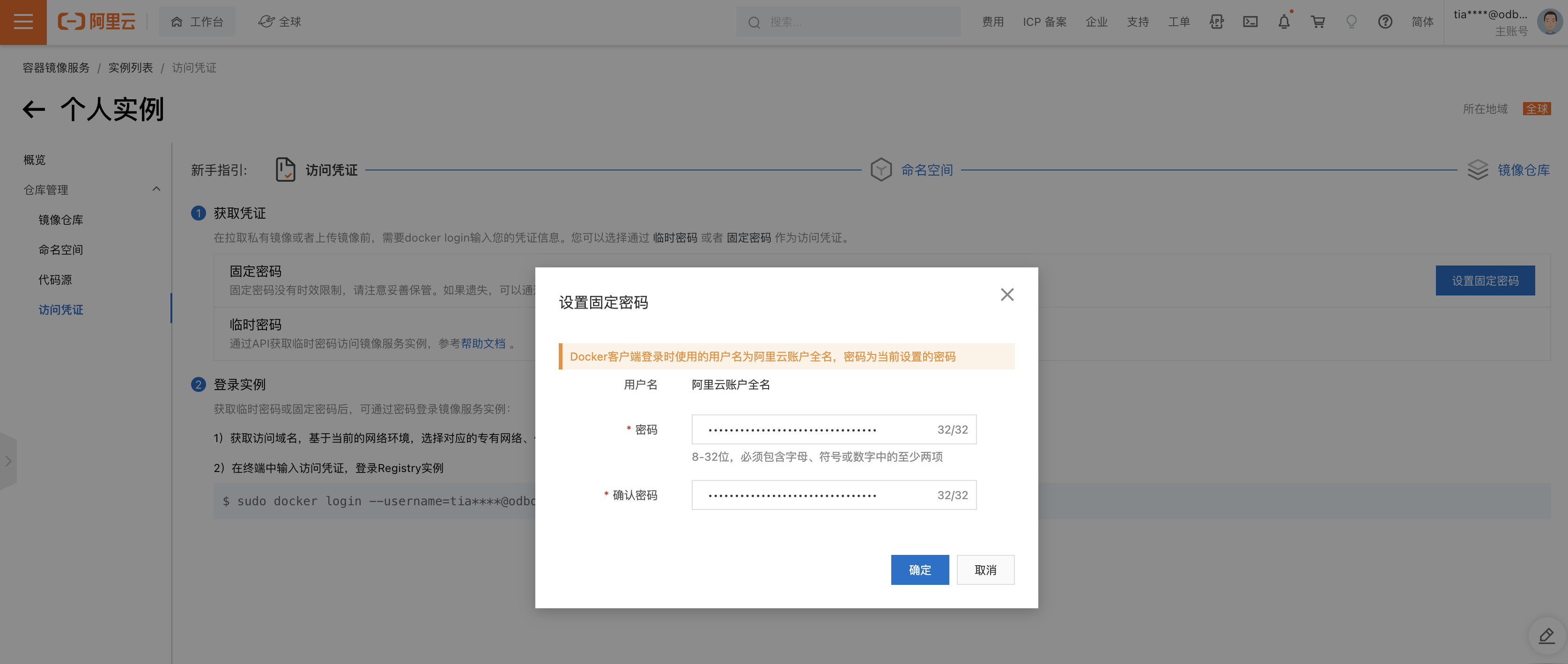
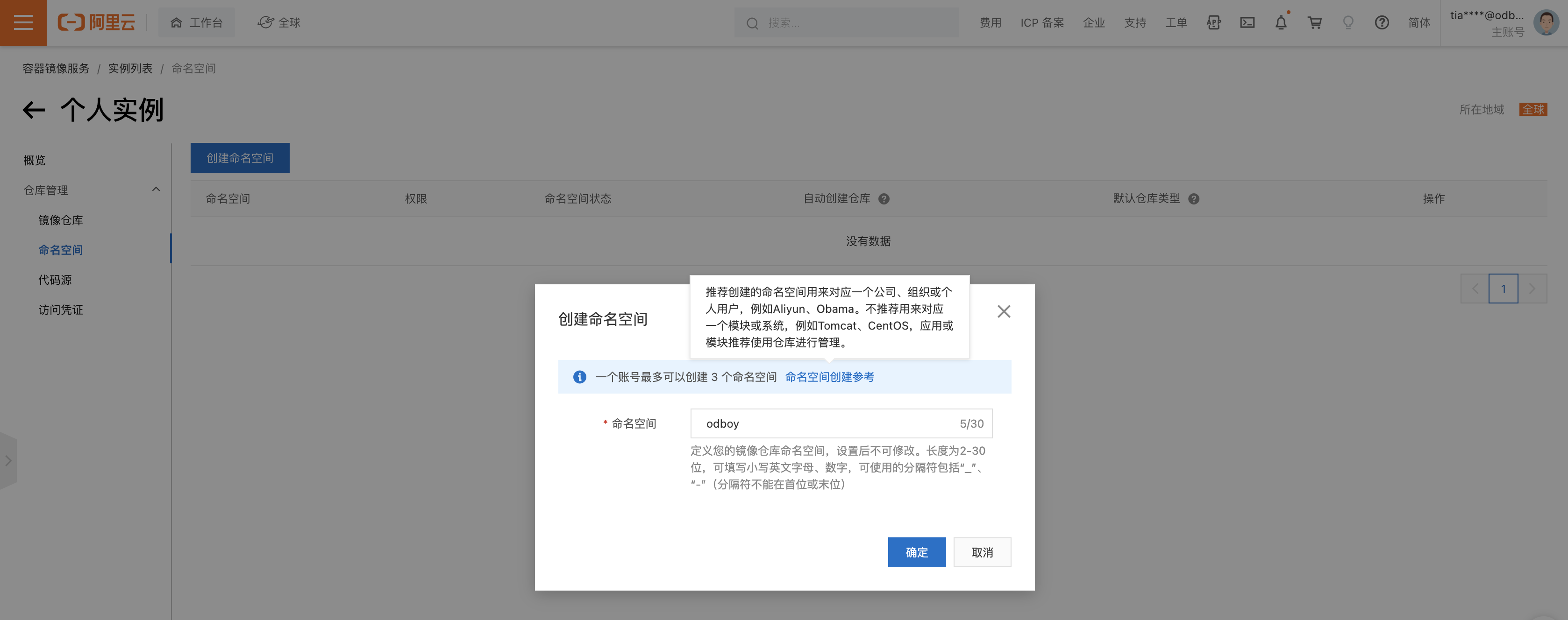
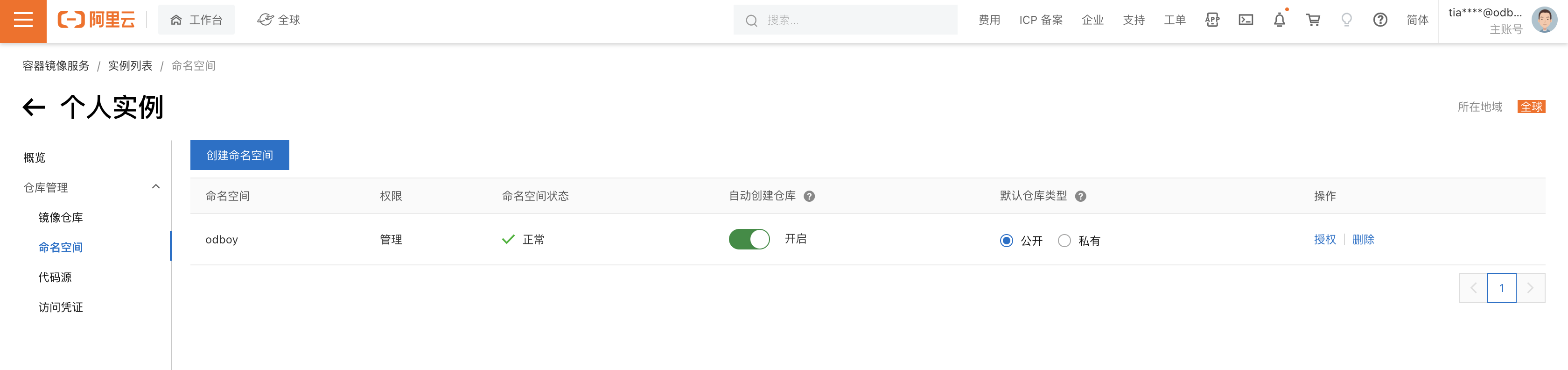
创建命名空间
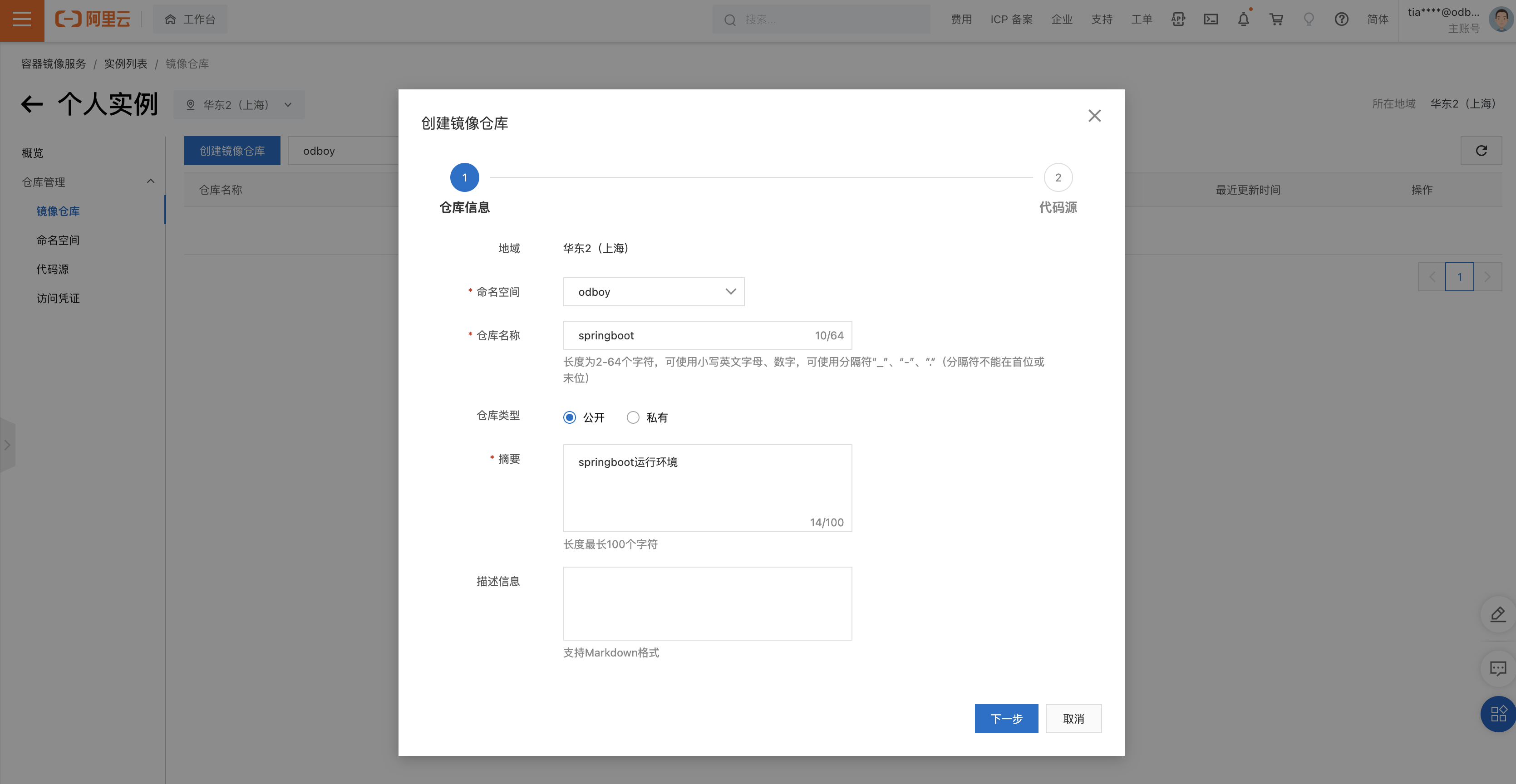
创建镜像仓库
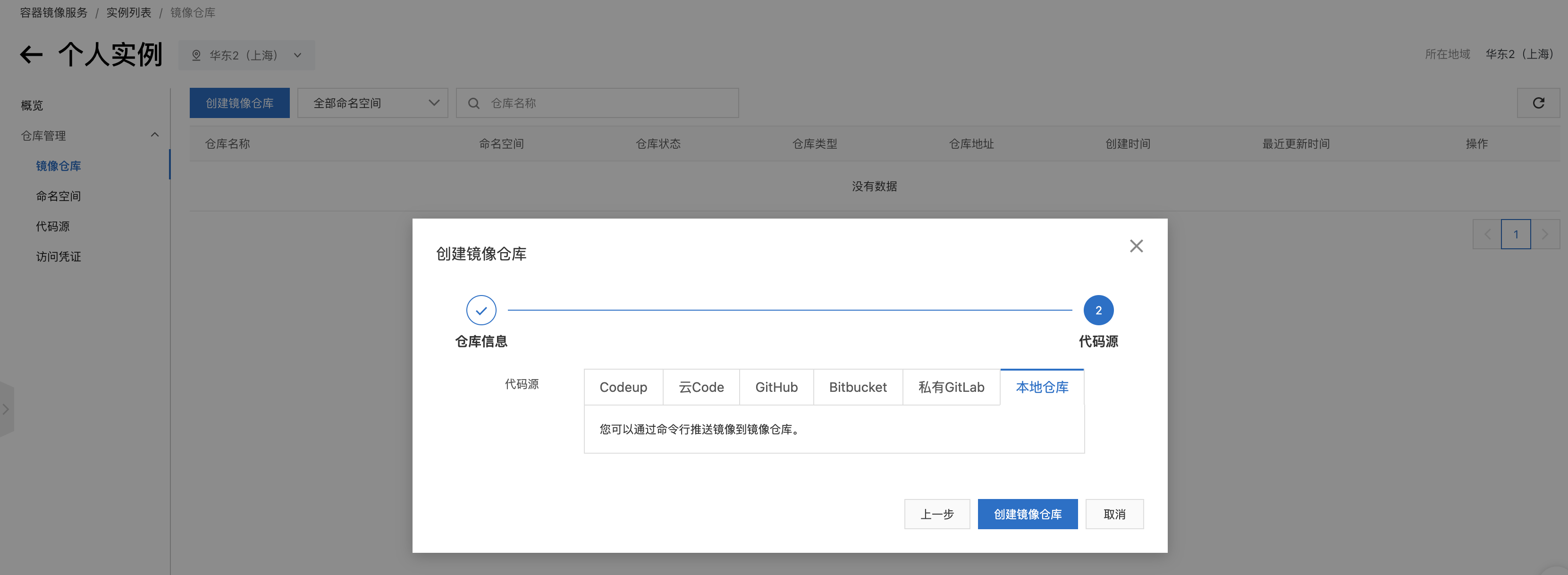
选"本地仓库","创建镜像仓库"
操作方法在下方很详细了
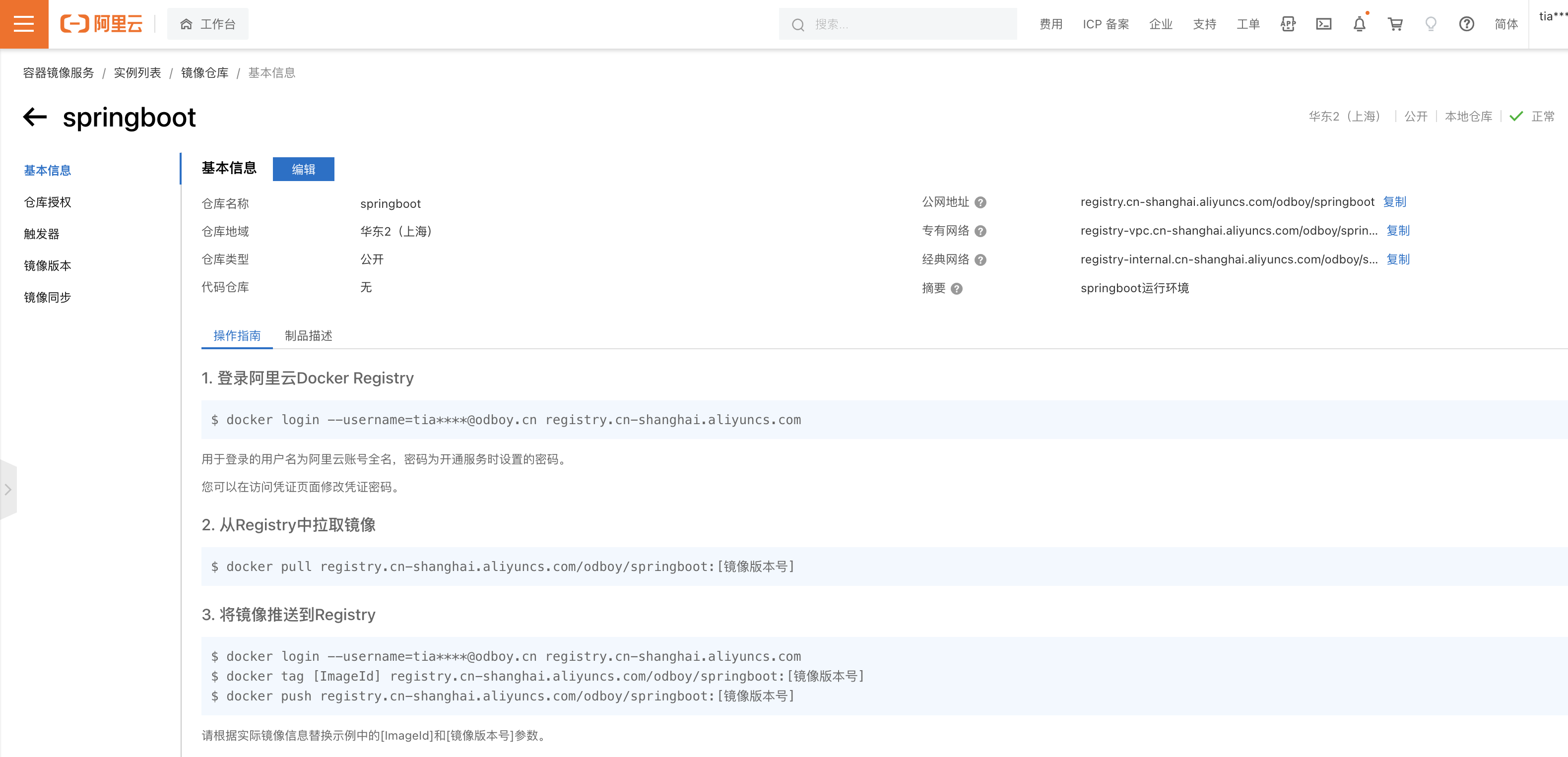
实战例子
shell
# 登录阿里云Docker Registry,回车后,输入一开始配置的密码
docker login --username=tianjun@odboy.cn registry.cn-shanghai.aliyuncs.com
shell
# 查看本地镜像
docker images
shell
# 将镜像推送到Registry
docker tag 80c1f8124501 registry.cn-shanghai.aliyuncs.com/odboy/springboot:1.2
docker push registry.cn-shanghai.aliyuncs.com/odboy/springboot:1.2