


K8s03.安装Ingress
简介
text
# ingress-nginx
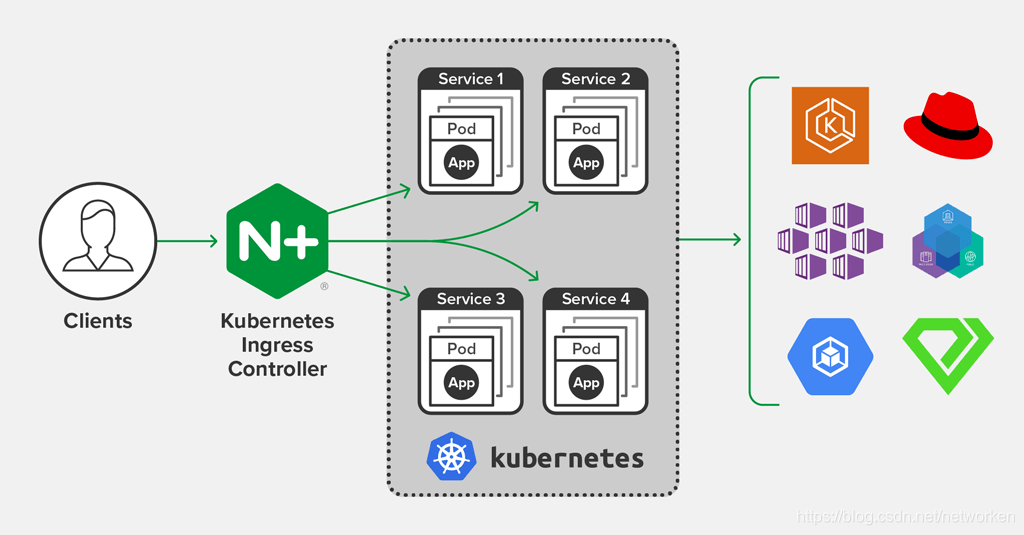
Pod的IP以及service IP只能在集群内访问,如果想在集群外访问Kubernetes提供的服务,可以使用NodePort、proxy、LoadBalacer以及Ingress等方式,
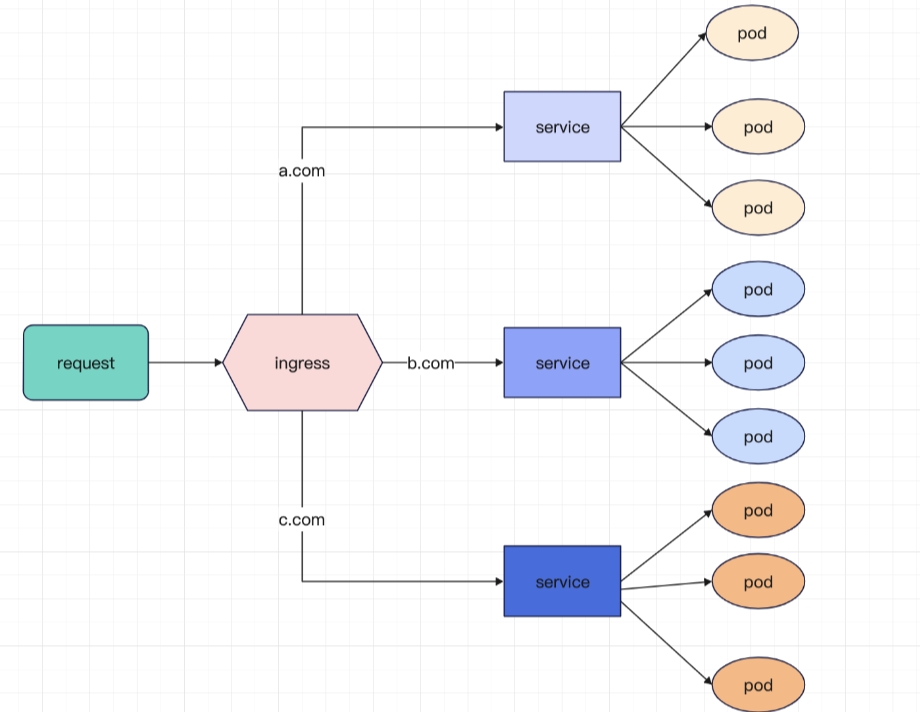
由于service的IP集群外不能访问,可以使用Ingress方式再代理一次,即Ingress代理Service,Service代理Pod
官网地址
shell
# github地址
https://github.com/kubernetes/ingress-nginx
# 文档地址
https://kubernetes.github.io/ingress-nginx/
原理图(架构版)
原理图(丐版)
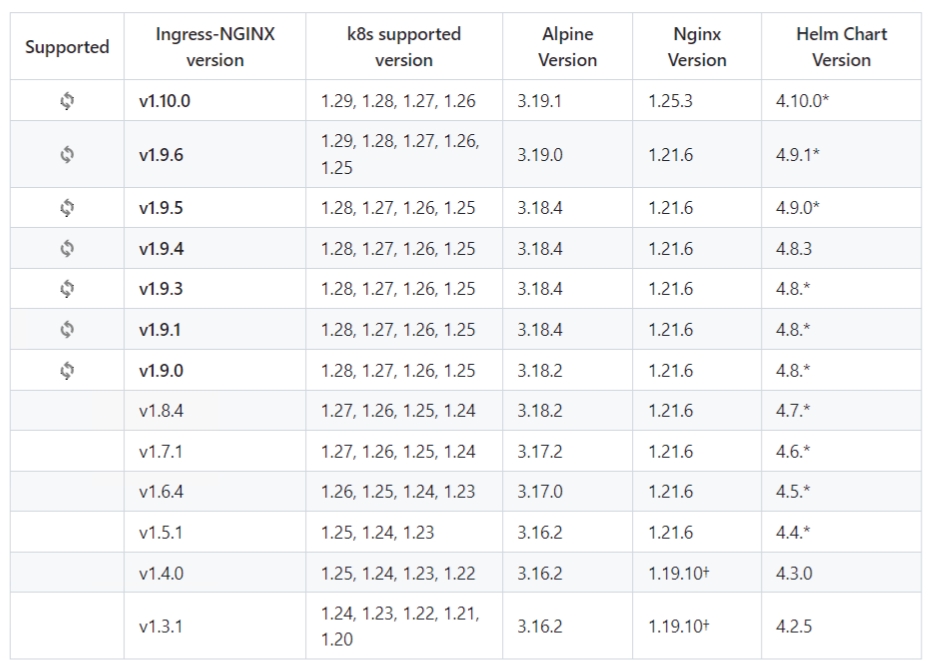
版本支持对应关系
开始安装
查看k8s版本
shell
# 使用kubeasy
kubectl version
我本地没有helm,所以我选择从yaml文件创建ingress
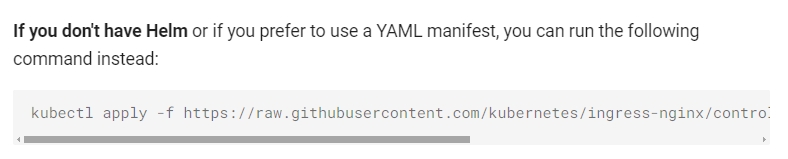
版本为1.29.0需使用ingress-nginx v1.10.0或ingress-nginx v1.10.1版本,这里我选择v1.10.1版本
shell
# 原地址
https://raw.githubusercontent.com/kubernetes/ingress-nginx/controller-v1.10.1/deploy/static/provider/cloud/deploy.yaml
# 国内加速地址
https://gh.api.99988866.xyz/https://raw.githubusercontent.com/kubernetes/ingress-nginx/controller-v1.10.1/deploy/static/provider/cloud/deploy.yaml
# 下载yaml文件
wget https://gh.api.99988866.xyz/https://raw.githubusercontent.com/kubernetes/ingress-nginx/controller-v1.10.1/deploy/static/provider/cloud/deploy.yaml -O ingress-nginx-deploy.yaml
# 三方加速版
wget https://oss.odboy.cn/blog/files/k8s/ingress/ingress-nginx-deploy.yaml
替换ingress-nginx-deploy.yaml文件中ingress-nginx镜像为国内地址
text
怎么找呢, 从服务器把这个yaml文件下载下来, 文本编辑器打开先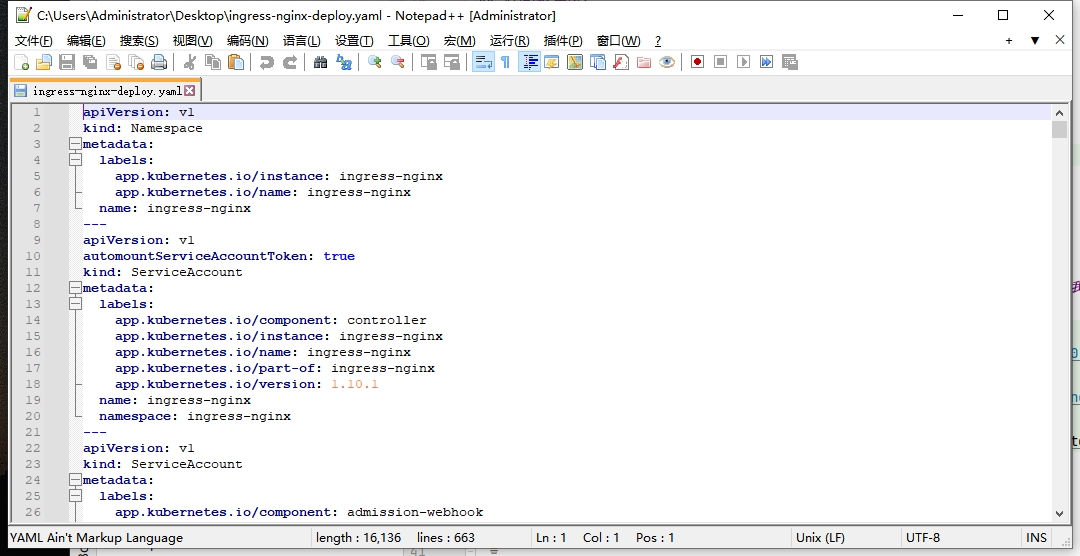
text
全局查询关键字 -> image: registry.k8s.io
ingress-nginx-deploy.yaml中我们找到的两个镜像地址分别为
text
registry.k8s.io/ingress-nginx/controller:v1.10.1@sha256:e24f39d3eed6bcc239a56f20098878845f62baa34b9f2be2fd2c38ce9fb0f29e
registry.k8s.io/ingress-nginx/kube-webhook-certgen:v1.4.1@sha256:36d05b4077fb8e3d13663702fa337f124675ba8667cbd949c03a8e8ea6fa4366
registry.k8s.io国外镜像源
text
可以看出,所用到的镜像不在docker hub中,在http://registry.k8s.io中,由于国内的网络问题,拉取不到该仓库的镜像。
幸好https://dockerproxy.com/docs提供了镜像代理,按照文档的说明,我们需要把registry.k8s.io地址改为k8s.dockerproxy.com即可
处理后的原地址为
text
registry.k8s.io/ingress-nginx/controller:v1.10.1
registry.k8s.io/ingress-nginx/kube-webhook-certgen:v1.4.1
使用镜像代理的地址为
text
k8s.dockerproxy.com/ingress-nginx/controller:v1.10.1
k8s.dockerproxy.com/ingress-nginx/kube-webhook-certgen:v1.4.1
试了下, 确实可以弄下来
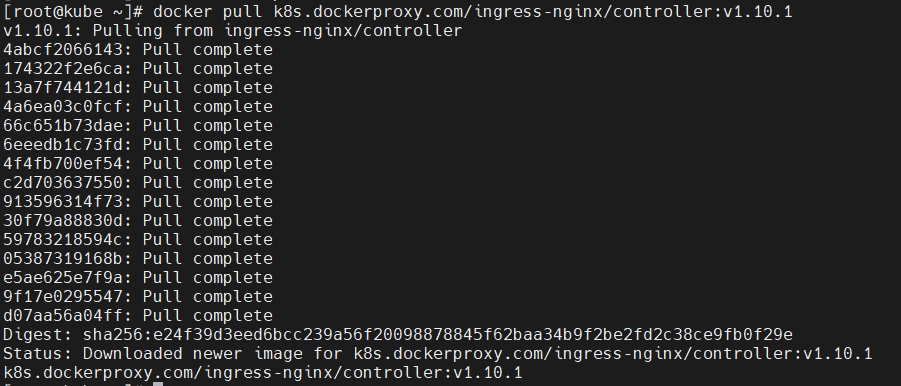
如果弄不下来,就把下面的镜像下载下来,然后导入
shell
wget https://oss.odboy.cn/blog/files/k8s/ingress/ingress-nginx-kube-webhook-certgen.tar
docker load < ingress-nginx-kube-webhook-certgen.tar
wget https://oss.odboy.cn/blog/files/k8s/ingress/ingress-nginx-controller.tar
docker load < ingress-nginx-controller.tar
curl https://oss.odboy.cn/blog/files/k8s/ingress/ingress-nginx-deploy.yaml > ingress-nginx-deploy.yaml

# 上传到自己的仓库
docker images|grep registry.k8s.io/ingress-nginx/controller|grep -v easzlab.io.local|awk '{print $3}'|xargs -I{} docker tag {} easzlab.io.local:5000/ingress-nginx/controller:v1.10.1
docker push easzlab.io.local:5000/ingress-nginx/controller:v1.10.1

# 如果上一步中,提示非https不支持,那么在daemon.json中加个'insecure-registries'配置即可
cat << EOF > /etc/docker/daemon.json
{
"registry-mirrors": [
    "https://j6dalcd1.mirror.aliyuncs.com",
         "https://dockerproxy.com",
         "https://mirror.baidubce.com",
         "https://docker.m.daocloud.io",
         "https://docker.nju.edu.cn",
         "https://docker.mirrors.sjtug.sjtu.edu.cn"
    ],
"insecure-registries" : ["easzlab.io.local:5000"]
}
EOF

# 重启docker
systemctl restart docker

# 重新执行
docker images|grep registry.k8s.io/ingress-nginx/controller|grep -v easzlab.io.local|awk '{print $3}'|xargs -I{} docker tag {} easzlab.io.local:5000/ingress-nginx/controller:v1.10.1
docker push easzlab.io.local:5000/ingress-nginx/controller:v1.10.1
docker images|grep registry.k8s.io/ingress-nginx/kube-webhook-certgen|grep -v easzlab.io.local|awk '{print $3}'|xargs -I{} docker tag {} easzlab.io.local:5000/ingress-nginx/kube-webhook-certgen:v1.4.1
docker push easzlab.io.local:5000/ingress-nginx/kube-webhook-certgen:v1.4.1
接下来只需要将ingress-nginx-deploy.yaml中的 registry.k8s.io 替换成 k8s.dockerproxy.com 即可(别忘了把后面的@sha256给删了)
将ingress-nginx-deploy.yaml上传到k8s master节点开始部署ingress
shell
kubectl apply -f ingress-nginx-deploy.yaml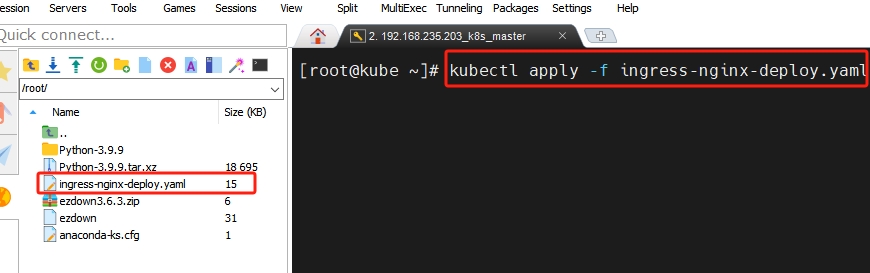
安装完毕
shell
kubectl get pods -n ingress-nginx -o wide